シーン 1
AI広告なのに、視聴者の4分の1しか気づかない『勝てる』広告の作り方を知りたい?
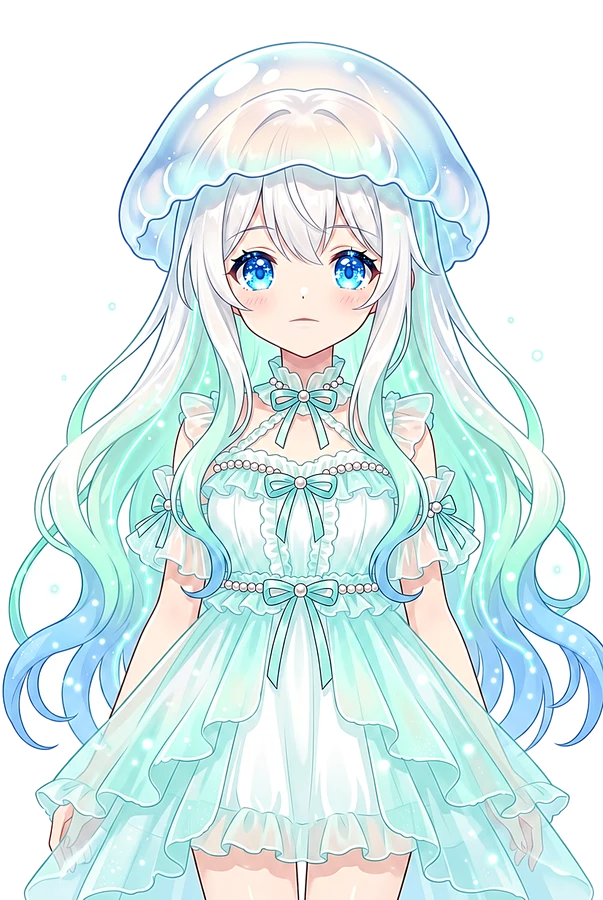
Kurage pointing at a split screen showing human vs AI ads, 9:16, vertical 9:16, clean virtual studio, light gradient background, presenter safe zone, 5600K key light
シーン 2
多くの人がツールを跨ぐたびに品質を落としています。だからこそ、一貫した「工場」が必要です。
A messy factory line with broken parts vs a clean automated robot line, vertical 9:16, floating UI panels, soft rim light, friendly AI explainer atmosphere
シーン 3
覚えておいてください。売るのはレンダリング技術じゃありません。「言葉」です。
Glowing text 'WORDS SELL' floating over a cinematic video render, vertical 9:16, white tech studio, subtle data particles, caption-safe lower area
シーン 4
まずはリサーチから。TikTok Shopや広告ライブラリで、実際に「動いている」UGCを掘り起こします。
Scrolling through TikTok shop and ad libraries on a smartphone, vertical 9:16, professional educational set, calm motion graphics, bright optimistic lighting
シーン 5
次にスクリプトの数学。具体的な不満(敵)を突き、秒間3.5文字の速さで訴求する構成を作ります。
Writing script with 'Enemy Hook' and 'CTA' highlighted in red, vertical 9:16, clean virtual studio, light gradient background, presenter safe zone, 5600K key light
シーン 6
アバターと素材も固定。一貫性を保つためのヘッドショットや製品画像をあらかじめ生成しておきます。
Consistent AI character sheet and product still images side by side, vertical 9:16, floating UI panels, soft rim light, friendly AI explainer atmosphere
シーン 7
ツールはHiggsfieldが強力です。画像、動画、音声を一つのプラットフォームで統合できます。
Logo of Higgsfield with icons for image, video, and audio merging, vertical 9:16, white tech studio, subtle data particles, caption-safe lower area
シーン 8
初心者なら「Supercomputer」モード。製品をアップするだけでリサーチから編集まで全自動です。
A magic button labeled 'Supercomputer' generating a finished ad, vertical 9:16, professional educational set, calm motion graphics, bright optimistic lighting
シーン 9
上級者はClaude Codeで各モデルを直接叩き、独自のパイプラインを構築して自由度を高めましょう。
Coding interface showing Claude Code controlling multiple AI models, vertical 9:16, clean virtual studio, light gradient background, presenter safe zone, 5600K key light
シーン 10
制作のコツは「フック先行」です。まず冒頭だけをレンダリングして承認し、残りを並列処理します。
A video timeline with the first 3 seconds highlighted and green checkmark, vertical 9:16, floating UI panels, soft rim light, friendly AI explainer atmosphere
シーン 11
AI特有の失敗、例えば指の数やラベルの崩れは必ずチェック。品質管理を徹底してください。
Close up of AI errors like extra fingers or melting labels with a red X, vertical 9:16, white tech studio, subtle data particles, caption-safe lower area
シーン 12
注意点として、TikTokなどでは必ず「AI生成」のラベルを付けることを忘れないでくださいね。
A checkbox for 'AI Generated' being ticked on a social media upload screen, vertical 9:16, professional educational set, calm motion graphics, bright optimistic lighting
シーン 13
結論です。顧客言語を入力し、広告を出力する。これが勝てるAI広告工場の正体です。
Input box with 'Customer Language' leading to an output of high-quality ads, vertical 9:16, clean virtual studio, light gradient background, presenter safe zone, 5600K key light
シーン 14
具体的なプロンプトやテンプレートはコミュニティで公開中。今すぐ工場を構築しましょう!
Kurage waving goodbye with a link to weeklyaiops.com on screen, vertical 9:16, floating UI panels, soft rim light, friendly AI explainer atmosphere
 Kurage URL2Earn — この動画ページのURLをXやブログで紹介すると、10,000 URLAI トークンをKurageさんがお届け(1人1回・先着制)。受け取り方を見る →
