シーン 1
「AIに会社のデータベースを触らせたいけど、セキュリティが怖くて手が出せない…」そんな悩みありませんか?
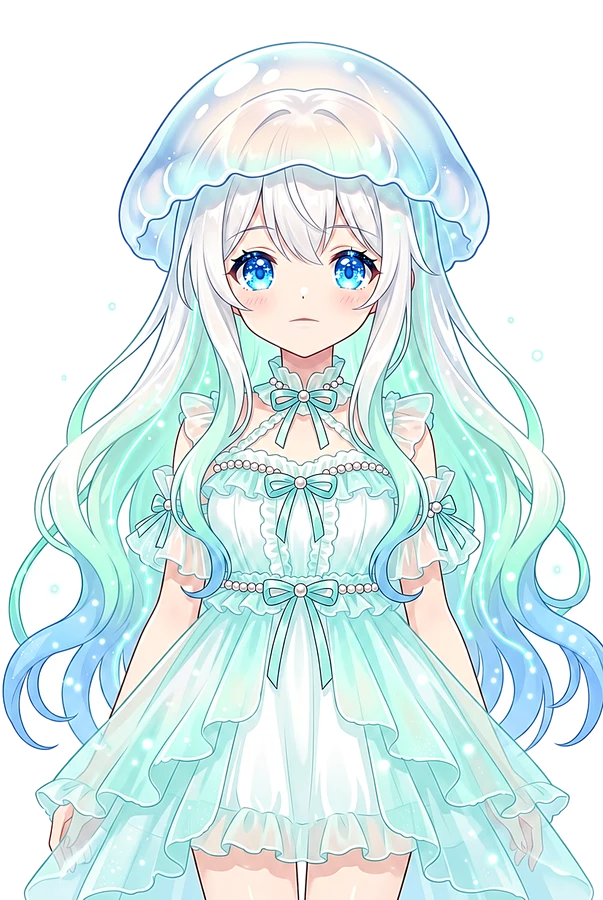
Kurage VTuber looking worried about security icons, vertical 9:16, slow push-in, shallow depth of field, teal orange grade, negative space, narration-first
シーン 2
ネットにある公開MCPサーバーを繋ぐだけでは、自社の業務システムは動かせません。本当に必要なのは「自社システムとの連携」です。
AI agent trying to connect to a locked corporate database, vertical 9:16, data reveal, floating numbers, parallax layers, crisp caption-safe center
シーン 3
解決策は、安全設計の3原則を守り、AIに「全権限」ではなく「限定的な道具」だけを渡すことです。
Kurage holding a key with 'Limited Access' label, vertical 9:16, documentary reconstruction, practical light, soft shadows, slow lateral drift
シーン 4
原則1:新しい権限の経路を作らないこと。MCPサーバーは既存の制限を通す「薄い橋」にするのが鉄則です。
A thin bridge over a river with security gates, vertical 9:16, pull-back reveal, atmospheric haze, rule of thirds, film grain
シーン 5
原則2:生SQLを渡す口を作らないこと。自由なSQLを実行できる道具を一つでも用意すれば、それはAIに全権を与えるのと同じです。
Warning sign: No raw SQL allowed, vertical 9:16, slow push-in, shallow depth of field, teal orange grade, negative space, narration-first
シーン 6
原則3:読み取り専用モードを用意すること。参照だけでいい相手には、書き込みの道具をそもそも見せないのが安全です。
Read-only mode toggle switch on a screen, vertical 9:16, data reveal, floating numbers, parallax layers, crisp caption-safe center
シーン 7
さて、具体的な導入経路は4つあります。まず「経路1」は自分で書く方法。PHPやPythonで実装できれば無料です。
Engineer coding with PHP and Python logos, vertical 9:16, documentary reconstruction, practical light, soft shadows, slow lateral drift
シーン 8
「経路2」は手順書を買う方法。Brainで5,500円で販売されており、罠を踏んで時間を溶かしたくない人向けです。
Instruction manual with a price tag of 5,500 yen, vertical 9:16, pull-back reveal, atmospheric haze, rule of thirds, film grain
シーン 9
「経路3」はMCP対応済みの製品を買う方法。Kurage DB Agentなら55,000円で、最初から安全な設計が組み込まれています。
Software product box with Kurage logo and price, vertical 9:16, slow push-in, shallow depth of field, teal orange grade, negative space, narration-first
シーン 10
「経路4」は開発代行。既存の自社システムに後付けしたい場合は、バイブプロトタイピングなどで11万円から依頼可能です。
Development team working on a custom system, vertical 9:16, data reveal, floating numbers, parallax layers, crisp caption-safe center
シーン 11
特に運用中のシステムなら「リモートブリッジ方式」がおすすめ。手元のPCにDB情報を置かずに安全に繋げられます。
Secure remote bridge connection diagram, vertical 9:16, documentary reconstruction, practical light, soft shadows, slow lateral drift
シーン 12
注意点として、Codexの非対話実行ではMCP呼び出しが勝手にキャンセルされる等の罠もあります。動かしてみないと分からない部分です。
Warning icon with 'Unexpected Behavior' text, vertical 9:16, pull-back reveal, atmospheric haze, rule of thirds, film grain
シーン 13
「全部できる道具」を渡して事故を祈るより、「これだけできる道具」を渡す。これがAI時代の安全な業務自動化です。
Kurage giving a specific tool to an AI robot, vertical 9:16, slow push-in, shallow depth of field, teal orange grade, negative space, narration-first
シーン 14
あなたの環境に合った経路を選んで、安全にAI活用を進めましょう!
Kurage smiling and pointing at the viewer, vertical 9:16, data reveal, floating numbers, parallax layers, crisp caption-safe center
 Kurage URL2Earn — この動画ページのURLをXやブログで紹介すると、10,000 URLAI トークンをKurageさんがお届け(1人1回・先着制)。受け取り方を見る →
